Product update
Szenarien vergleichen, lokale Währung im Konfigurator und 3 weitere
Szenarien vergleichen, lokale Währung im Konfigurator und 3 weitere
Happy new year! To kickstart 2026, we are bringing you 5 product improvements to ReWind.
Compare Scenarios

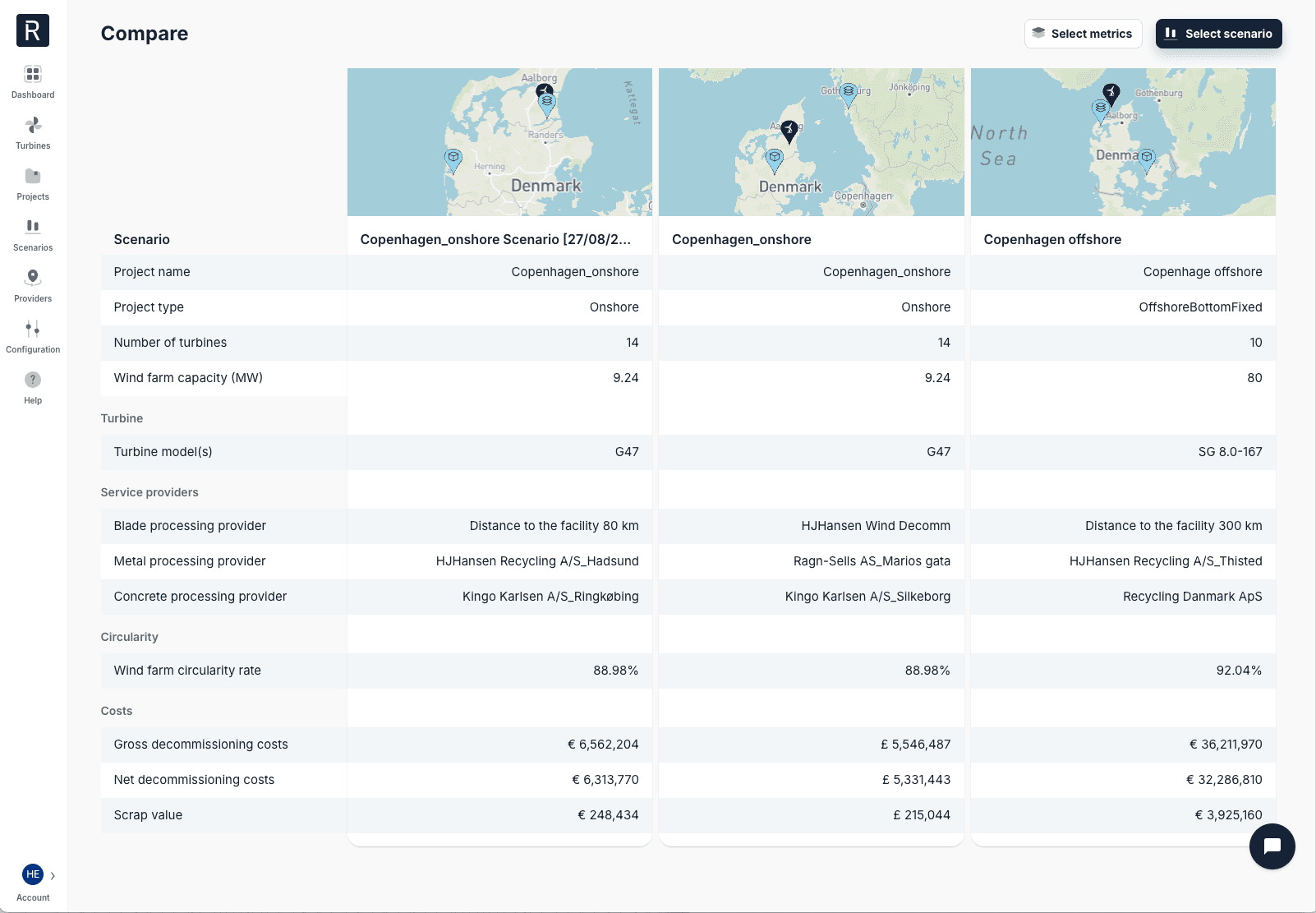
With Compare we are making it easier than ever to make optimal decisions for your assets at end of life.
Select up to 10 scenarios
Select which scenarios you want to compare, with each scenario being shown in a table next to each other, and a map showing the location of the project and the selected providers.
79 metrics and more will be added over time
Select metrics you want to compare, select all onshore or offshore metrics, or select all metrics in a given category. These metrics are from our turbine, project and scenario analyses, and we will continue to add more metrics to compare as we add new features to ReWind.
Find the Compare function on the Scenarios page.
Configurator: Local Currency
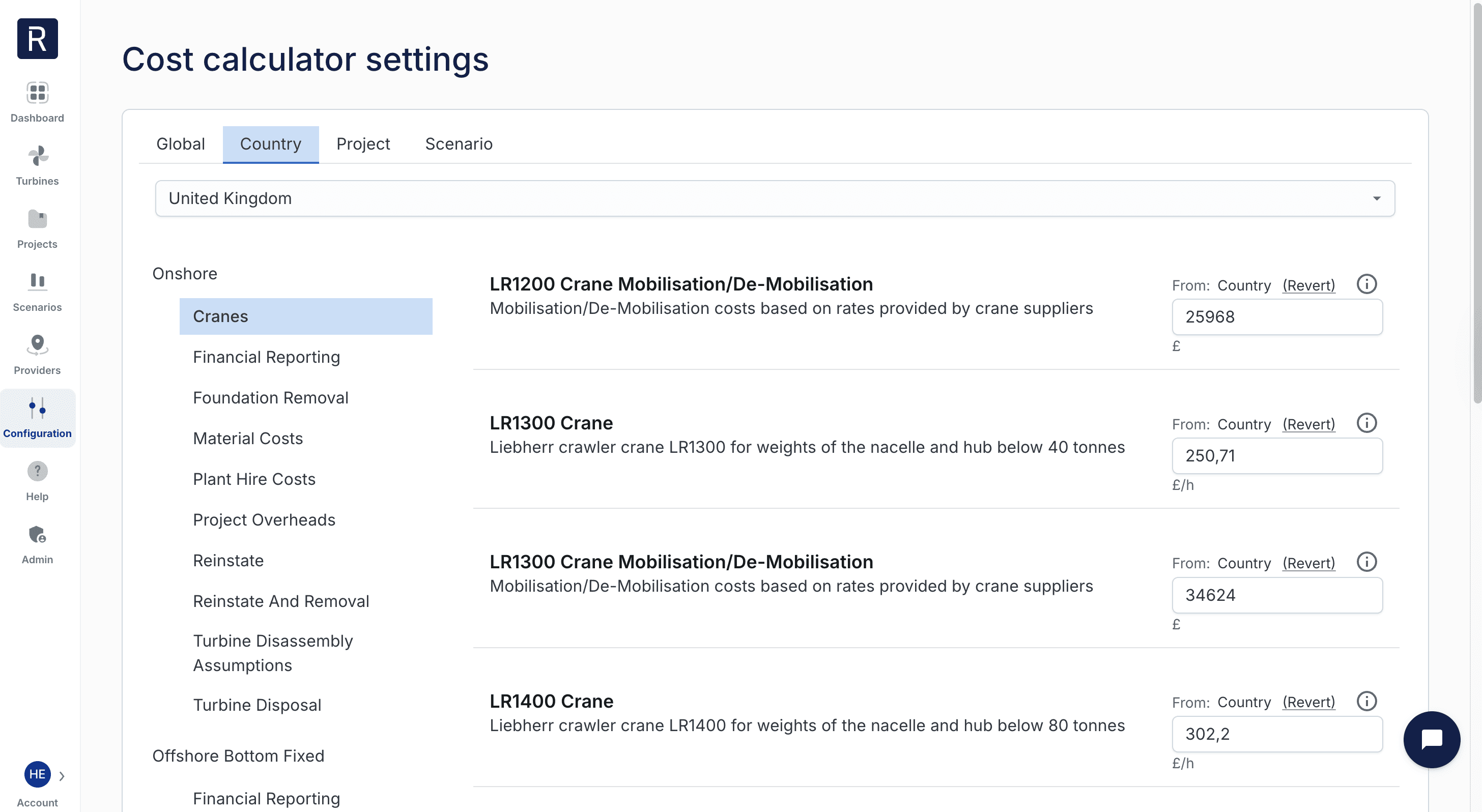
No more having to do manual currency conversions. We have addressed your feedback, where our economic inputs and outputs were only shown in euros in the configurator. This is no longer the case. We support 14 currencies where our customers have projects at present (including €, £, $, kr). The currency is based on the location of the project, but can also be changed for each scenario.
Dashboard: Project Filter
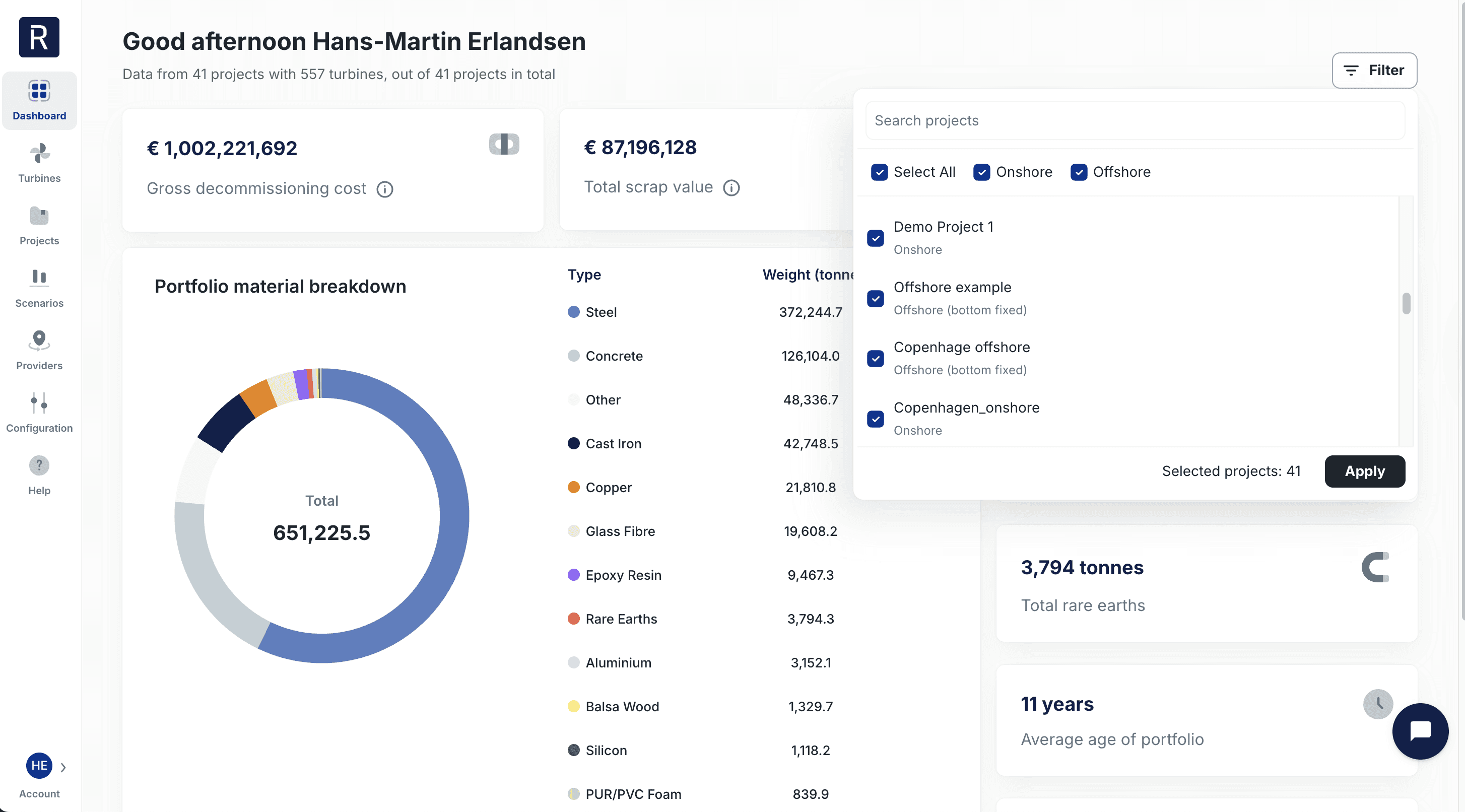
To ensure the wind asset portfolio analyses remain accurate, you can now filter by specific projects or by onshore/offshore wind farms. This is beneficial if you have extra projects you don't want to have included in these statistics.
Improved project page
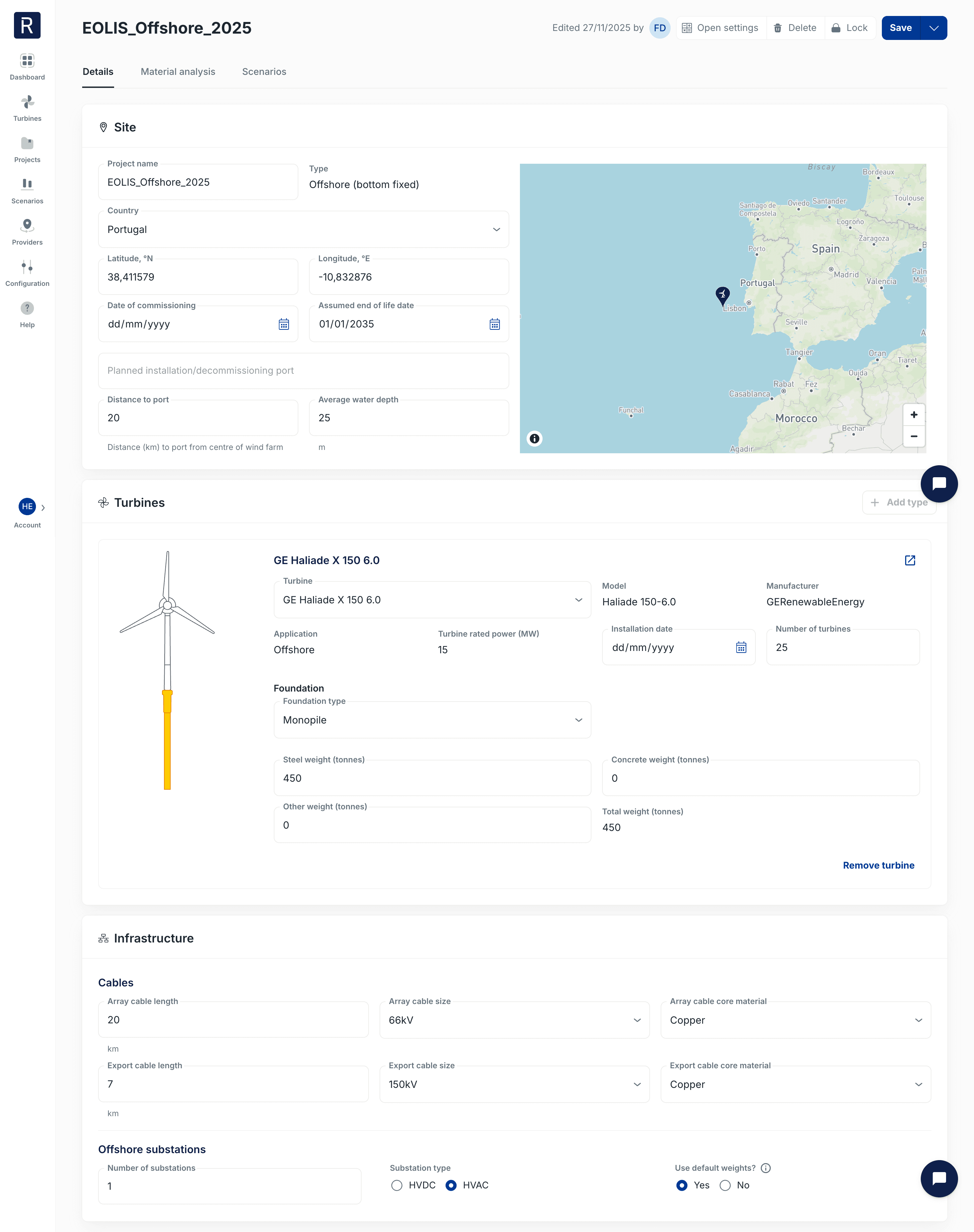
We have redesigned our project page to make it simpler to use and easier to find where to enter information. Now you can just start at the top and work your way down. The material analyses can be found in the second tab.
Help page and video tutorials
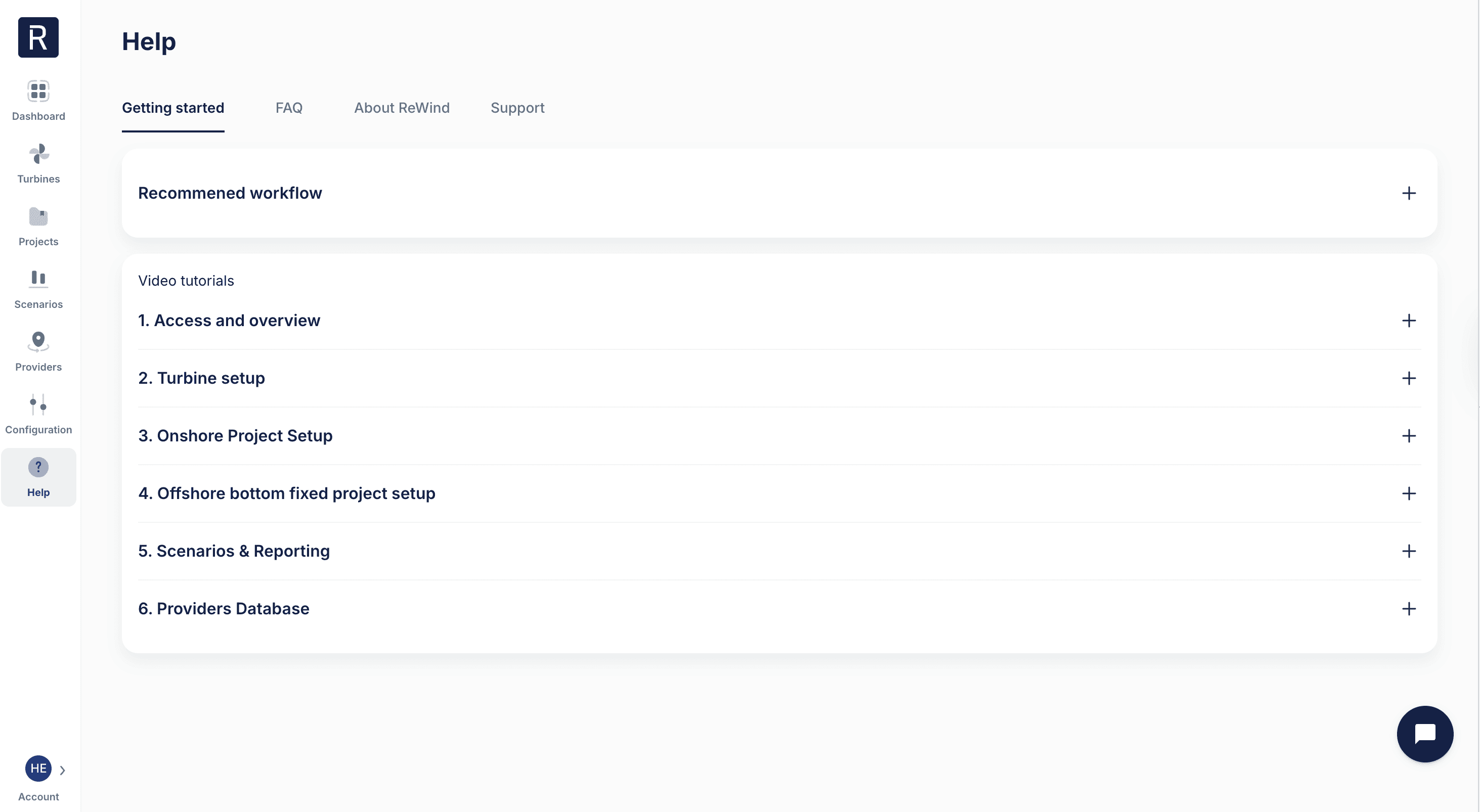
We've added a new Help page where you can find support whenever you need it. The page includes video tutorials to get you started, frequently asked questions, and other useful information about ReWind.
Happy new year! To kickstart 2026, we are bringing you 5 product improvements to ReWind.
Compare Scenarios
With Compare we are making it easier than ever to make optimal decisions for your assets at end of life.
Select up to 10 scenarios
Select which scenarios you want to compare, with each scenario being shown in a table next to each other, and a map showing the location of the project and the selected providers.
79 metrics and more will be added over time
Select metrics you want to compare, select all onshore or offshore metrics, or select all metrics in a given category. These metrics are from our turbine, project and scenario analyses, and we will continue to add more metrics to compare as we add new features to ReWind.
Find the Compare function on the Scenarios page.
Configurator: Local Currency
No more having to do manual currency conversions. We have addressed your feedback, where our economic inputs and outputs were only shown in euros in the configurator. This is no longer the case. We support 14 currencies where our customers have projects at present (including €, £, $, kr). The currency is based on the location of the project, but can also be changed for each scenario.
Dashboard: Project Filter
To ensure the wind asset portfolio analyses remain accurate, you can now filter by specific projects or by onshore/offshore wind farms. This is beneficial if you have extra projects you don't want to have included in these statistics.
Improved project page
We have redesigned our project page to make it simpler to use and easier to find where to enter information. Now you can just start at the top and work your way down. The material analyses can be found in the second tab.
Help page and video tutorials
We've added a new Help page where you can find support whenever you need it. The page includes video tutorials to get you started, frequently asked questions, and other useful information about ReWind.

ReWind AS © 2026. All rights reserved.
Torggata 11, 0181 Oslo, Norway
ReWind AS © 2026. All rights reserved.
Torggata 11, 0181 Oslo, Norway